
As we prepare for our move from Blackboard to D2L Brightspace, you’re invited to get a head start by exploring Brightspace Guided Training for Instructors. This self-paced training is hosted in the Brightspace Learning Community and walks you through the tools and features you’ll be using with your students.
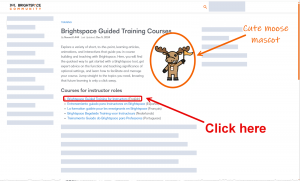
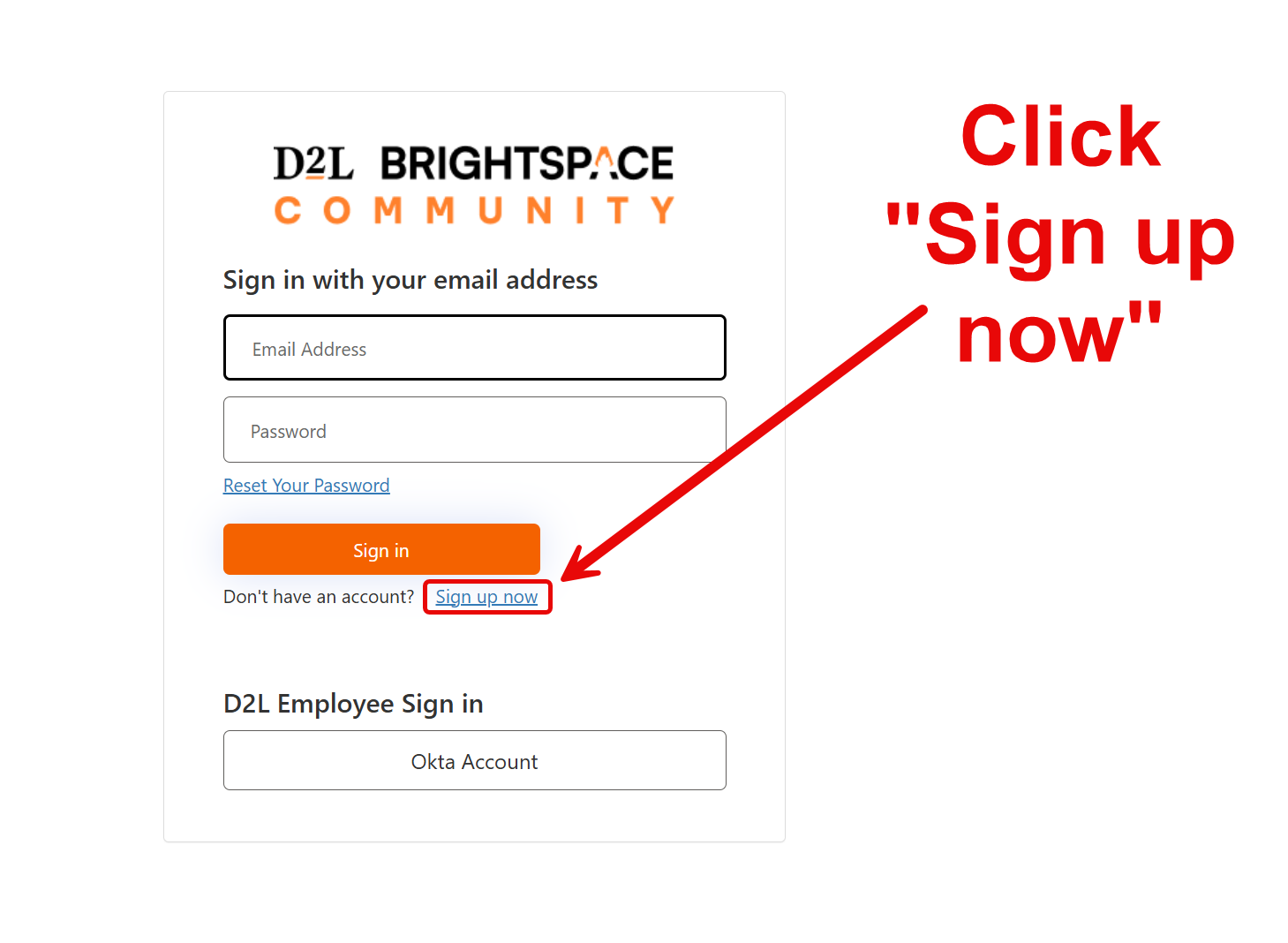
- Go to the Brightspace Guided Training Courses site. Click the Brightspace Guided Training for Instructors link:
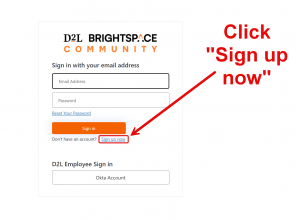
- Select ‘Sign up / Create account’ and register using your UCA email address.
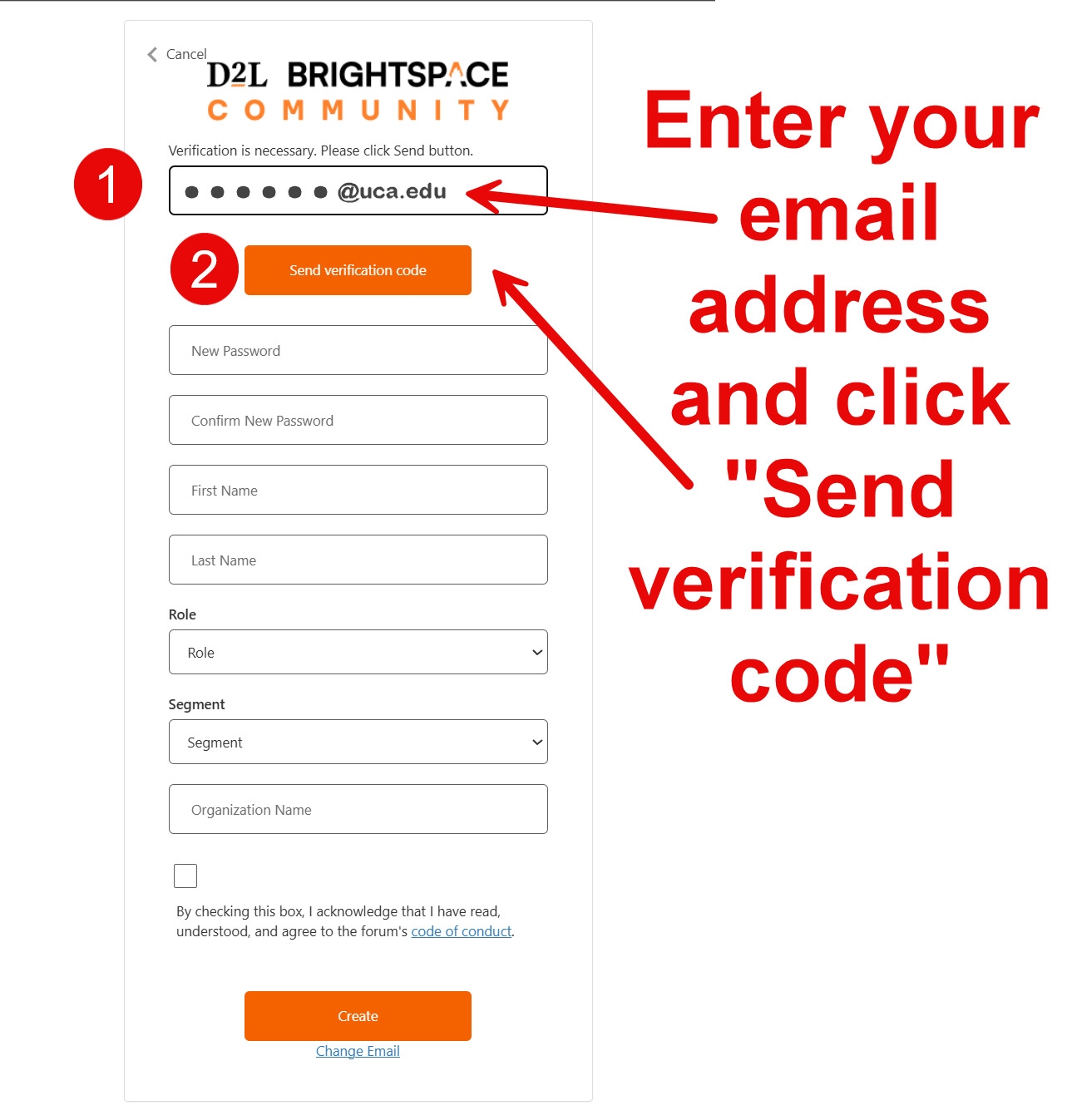
- Enter your email address and click “Send verification code.” Brightspace will send you an email with a verification code. Enter that code to verify your email address and click “Verify code.”
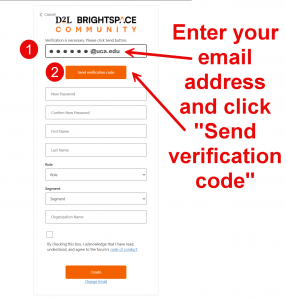
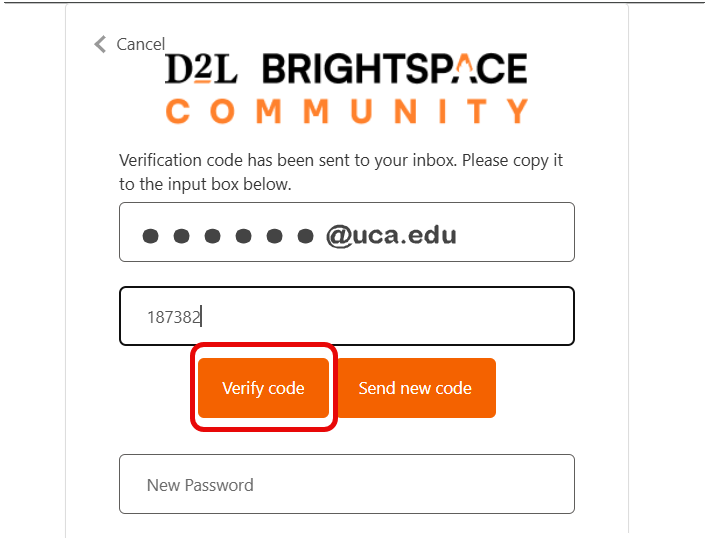
- Check your email address for a message from “Microsoft on behalf of D2L Brightspace Community Team” for a verification code. Copy and paste the code into the correct box and click “Verify code.”

- Complete the remaining required information: Password, Name, Role, Segment, and Organization Name. Check the box agreeing to the “Code of Conduct” and click the “Create” button.
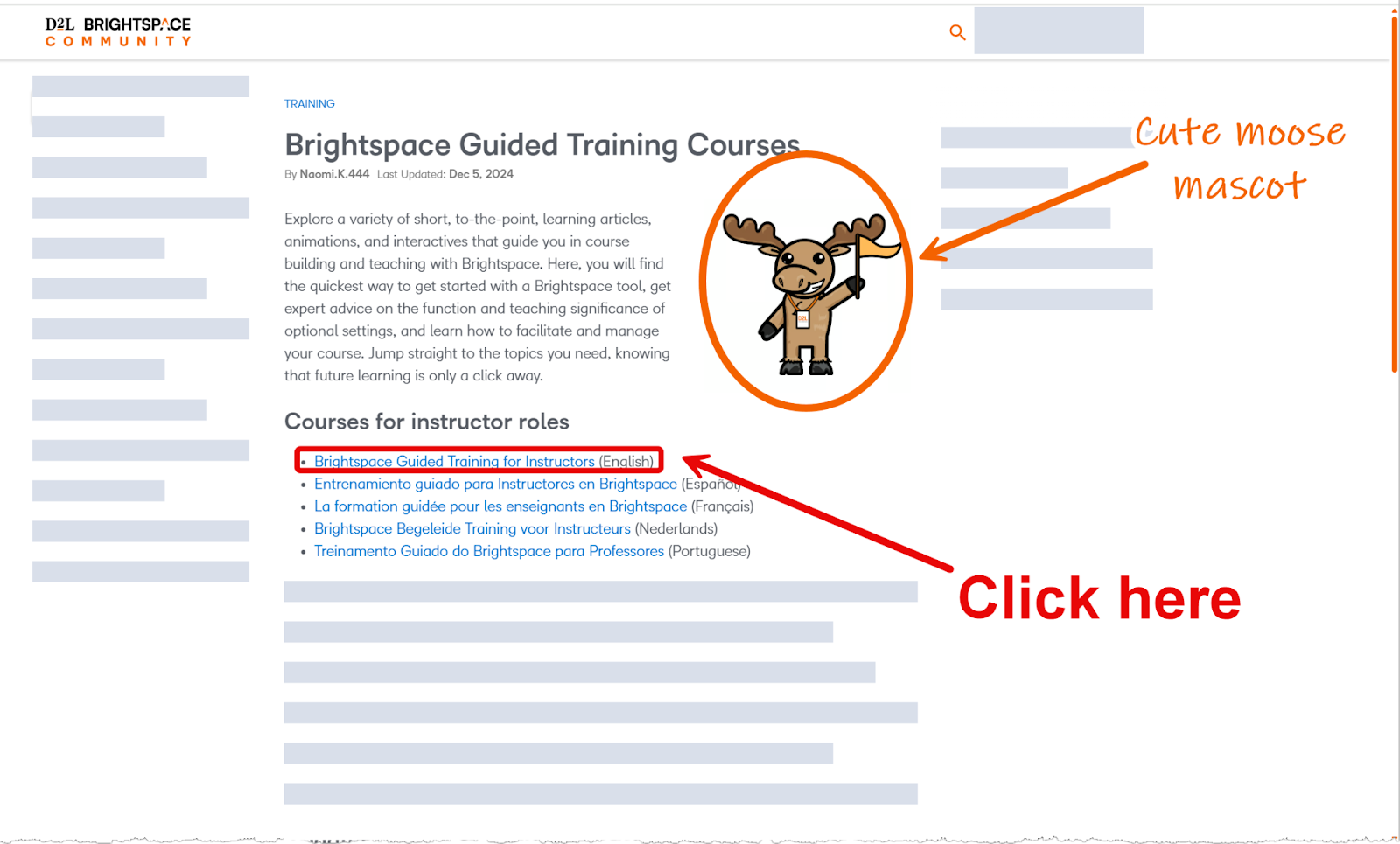
You will be logged into the Brightspace Learning Community and will receive a “Welcome to Brightspace Learning Community” email. You can navigate to Brightspace Guided Training for Instructors to access the available modules.
Troubleshooting tips
- If you get an error message:
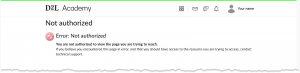
- Wait a few minutes and repeat the process, beginning with step 1. The system should log you in immediately after clicking the link in step 1 again.
- If you don’t get the verification code:
- Check your junk/spam folder for an email.
- If the verification code doesn’t work or expires:
- Go back to the verification screen and choose resend code, then use the newest code you receive.
- If you need to “start over”:
- Close your browser tab, then open the link again.
- If you run into issues you can’t resolve, please reach out to the IT Help Desk or CETAL, and we’ll be happy to help you get into the training.
✨ Thank you for taking the time to explore Brightspace in advance. Your early engagement will make the transition smoother for you and your students.

Not quite ready to dive into Brightspace training yet? We get it—it’s the end of the semester, and you’re juggling a hundred things at once! The full UCA training series launches in January, but there are a couple of easy, high-impact steps you can take now to set yourself up for a smoother transition:
- Give your Blackboard courses a quick refresh. Take a few minutes to remove old or outdated content you no longer need. Think of it as clearing the clutter so you can start fresh in Brightspace. A clean course now means an easier import later!
- Choose one course for your Spring 2026 training. Pick a Summer 2026 or Fall 2026 course you plan to teach and gather the content you’ll want to bring with you. Having your real course materials on hand will make your Brightspace training experience faster, smoother, and far more meaningful than relying on sample content alone.
A little prep now = a much easier transition later. You’ve got this! Let us know if you’d like help getting started.